Why Your Remote Observatory Needs a Backup Internet Connection for Reliable All-Sky Monitoring
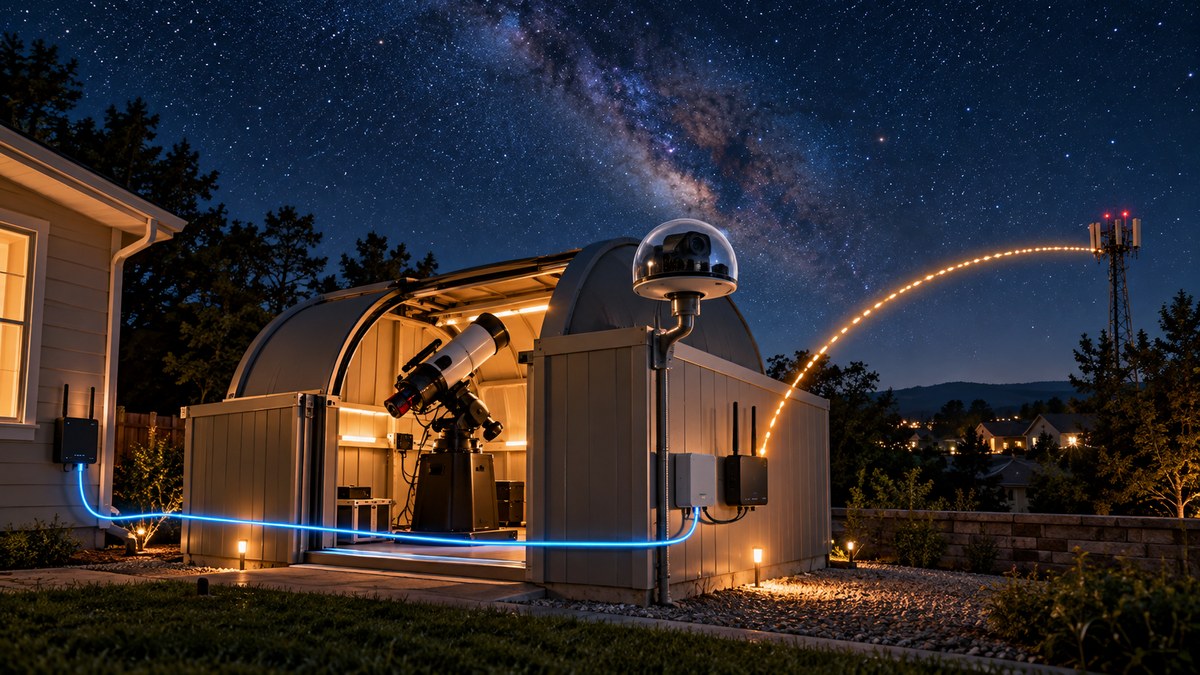
Your remote observatory is finally humming. The all-sky camera is streaming, the mount is tracking, and you are settled into your living room watching the data flow in. Then your home internet blinks out. Or the power at your dark sky site flickers. Suddenly your all-sky camera goes dark, your telescope stops responding, and you lose an entire night of imaging. A single outage can erase hours of planning. That is why any serious remote observatory internet backup strategy is not optional. It is the difference between a reliable automated system and a constant source of frustration.
A single internet dropout can ruin a full night of all-sky monitoring and unattended imaging. A proper remote observatory internet backup uses cellular failover, battery-backed networking gear, and automated switching to keep your cameras and telescopes online. This guide covers the hardware, the setup process, and the common mistakes to avoid for reliable 24/7 sky coverage.
Why a Single Outage Costs More Than Just Lost Data
Think about what happens when your primary internet connection drops at 2 AM. Your all-sky camera stops uploading frames. Your weather monitoring software cannot fetch forecasts. Your automation scripts that close the roof during rain have no way to receive commands. The damage can go beyond a lost night of data. If your roof does not close during a storm, you risk thousands of dollars in equipment.
Most amateur observatories rely on a single residential cable or fiber connection. That works fine 95% of the time. But the 5% matters when you are not there to fix it. A remote observatory internet backup gives you that extra layer of protection.
The Core Components of a Reliable Backup System
Building a solid backup connection does not require enterprise networking gear. You can put together a system that works for under $300 if you already have a primary connection. Here are the pieces you will need.
- A cellular failover modem or router that supports USB or Ethernet tethering
- A secondary data plan on a different network (avoid using the same provider as your primary)
- A battery backup (UPS) that can power your modem, router, and observatory computer for at least 30 minutes
- A smart power switch that can remotely reboot your networking gear
- Monitoring software that alerts you when the connection drops
How to Set Up Your Remote Observatory Internet Backup
Follow these steps to build a system that keeps your all-sky camera online through almost any outage.
-
Install a dual-WAN router. Many consumer routers now support two internet connections. Plug your primary cable or fiber into WAN port 1 and your cellular modem into WAN port 2. Configure failover mode so the router switches to cellular only when the primary goes down.
-
Choose a cellular backup method. A dedicated 4G LTE modem with a prepaid data plan works well. You can also use a smartphone with a USB tethering feature. Just make sure the cellular provider is different from your primary ISP. If your cable goes down because of a regional outage, a Verizon or T-Mobile cellular connection will likely still work.
-
Add a UPS for the networking gear. Your modem, router, and switch need clean power. A small UPS can keep them running for 30 to 60 minutes. That is usually enough time for a power flicker to pass or for your generator to kick in. If you have a larger observatory, consider a UPS that also powers your mount computer.
-
Set up automated failover testing. Do not wait for an outage to discover your backup does not work. Schedule a monthly test where you unplug the primary connection and verify the system switches to cellular within 30 seconds.
-
Enable remote monitoring and alerts. Use a free tool like Uptime Kuma or a simple ping script to check your observatory’s internet status every minute. Send a text or email alert if the connection drops. This way you know immediately if the backup fails to engage.
Common Mistakes That Break Your Backup Plan
Even experienced observatory owners make these errors. Here is a table that shows the difference between a setup that works and one that fails.
| Mistake | Why It Hurts | The Fix |
|---|---|---|
| Using the same ISP for primary and backup | A regional outage takes both down | Get a cellular plan on a different carrier |
| No UPS for the backup modem | Power loss kills both connections | Put all networking gear on a shared UPS |
| Failing to test the failover | You discover the backup is dead only during an emergency | Run a manual test once a month |
| Relying on WiFi for the observatory | WiFi drops are common and hard to debug | Use wired Ethernet whenever possible |
| Ignoring data caps on cellular plans | Your backup runs out of data mid-month | Choose an unlimited or high-capacity prepaid plan |
What the Experts Recommend
I spoke with several remote observatory owners who run their sites year-round without interruptions. Their advice is consistent.
“Do not treat your backup internet as an afterthought. I lost three nights of data in one week because my cable modem died and I had no fallback. Now I run a Peplink router with a Cradlepoint cellular modem. It has paid for itself many times over.” – Mark R., owner of a remote observatory in Arizona.
“The biggest surprise for me was how often power flickers at a dark sky site. My UPS for the networking gear was undersized. I upgraded to a 1500VA unit and my uptime went from 85% to 99.9%.” – Sarah L., astrophotographer with a backyard observatory in Pennsylvania.
These stories highlight a key point. A remote observatory internet backup is not just about having a second connection. It is about making sure that connection actually works when you need it.
Building a Budget-Friendly Backup for Under $200
You do not need a $500 router to get reliable failover. Here is a simple approach that works.
- Buy a used dual-WAN router like a TP-Link TL-R600VPN for around $40
- Get a prepaid cellular hotspot from your local carrier for $30 to $50
- Add a small UPS from APC or CyberPower for $60 to $80
- Use a free monitoring script on your observatory computer
Total cost: roughly $130 to $170. That is cheaper than replacing one damaged camera or losing a week of clear sky data.
For a more advanced setup, consider a router with built-in cellular modem support. Models from Peplink or Cradlepoint can cost more but offer better management features. If you are building a new observatory from scratch, check out our guide on what network setup do you actually need for remote sky monitoring for a full breakdown.
Integrating Backup Internet with Your All-Sky Camera System
Your all-sky camera is the most bandwidth-sensitive device in the observatory. It sends a continuous stream of frames to your home computer or cloud service. When the internet drops, those frames stop. When the backup kicks in, the stream should resume automatically.
Most all-sky camera software supports automatic reconnection. But you need to configure it properly. Set your camera to buffer a few minutes of video locally. That way when the connection comes back, the software uploads the missed frames. This feature saved me more than once during short outages.
If you are still choosing an all-sky camera, read our guide on how to choose the right all-sky camera for your backyard observatory. It covers models that handle connection drops gracefully.
When to Upgrade to a Full Redundant Setup
A basic cellular failover works for most backyard observatories. But if you run a remote site that is hours away, consider a more robust solution.
- Two independent ISPs. Run cable and fiber from different providers. This is rare for dark sky locations but possible in some areas.
- Starlink as a secondary connection. If you have Starlink for primary or secondary, it provides a solid backup when paired with a cellular modem.
- On-site logging and storage. Configure your observatory computer to store all data locally for at least 7 days. Even if the internet goes down completely, you do not lose the data. You just retrieve it later.
Taking the Next Step for Reliable Sky Monitoring
Building a remote observatory internet backup is one of those projects that feels unnecessary until the first time it saves your night. The cost is low compared to the peace of mind it provides. Start with a simple cellular failover and a UPS. Test it. Then expand as your needs grow.
Your all-sky camera works hard every night to capture the sky above your observatory. Make sure it has the connection it deserves. When you set up your backup correctly, you can sleep through storms, power outages, and ISP failures knowing your data is safe. The stars will keep shining, and your observatory will keep watching.

Post Comment