6 Critical Factors for Setting Up a Reliable All-Sky Webcam in 2026
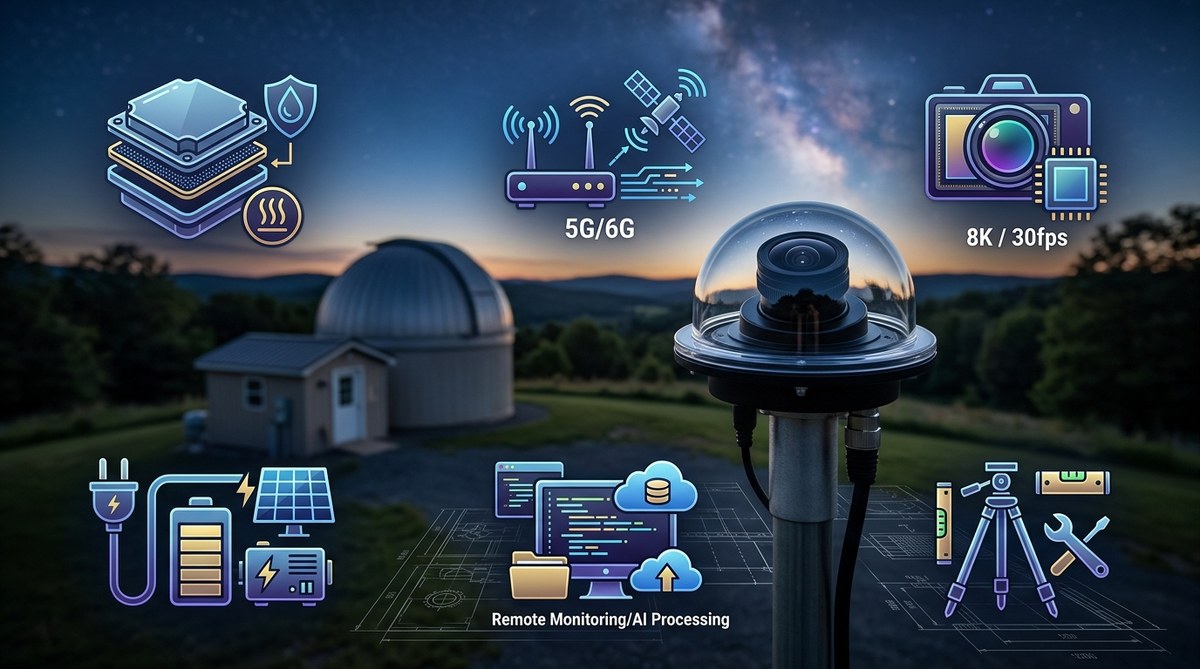
Building an all-sky camera that runs reliably night after night is one of the most rewarding projects an amateur astronomer can tackle. You get to wake up to meteor streaks, aurora glows, and satellite passes that happened while you were asleep. But the difference between a camera that works for one week and one that runs for years comes down to six specific factors. I have learned these the hard way, through fogged lenses, frozen USB ports, and mysterious 3 a.m. reboots. Let me save you that trouble.
A reliable all-sky camera needs more than just a good sensor. You must plan for moisture control, power backup, network stability, automated scheduling, and a weatherproof housing. Skip any of these, and your camera will fail during the first storm or cold snap. This guide walks through each factor so your setup runs unattended for months.
The Camera Sensor: Sensitivity Over Resolution
Many beginners pick a camera based on megapixels. That is a mistake for all-sky work. You need a sensor that sees well in very low light. A 12-megapixel Sony IMX291 or IMX178 sensor will outperform a 20-megapixel phone camera chip because of its larger individual pixels and better quantum efficiency.
Look for these sensor features:
– Back-illuminated (BSI) architecture for better night sensitivity
– Pixel size of at least 2.9 micrometers
– Support for long exposure times (10 to 30 seconds)
– Low read noise at higher gain settings
The camera you choose should also output uncompressed video or still frames. Compressed formats like H.264 lose the faint meteor trails you want to catch. Use a camera that streams raw or lightly compressed FITS or PNG files.
For a budget-friendly option, many hobbyists use modified security cameras with CS-mount lenses. For a premium path, look at dedicated astronomy cameras from ZWO or Player One. Both work well with the open-source software we will cover later.
Optics and Field of View: Seeing the Whole Dome
A true all-sky camera needs a 180-degree field of view. That means a fisheye lens, typically 1.2mm to 1.8mm focal length for a 1/2-inch sensor. The lens must also have a fast aperture, ideally f/1.4 or f/1.8, to gather enough light for short exposures.
Here is a comparison of common lens choices:
| Lens Focal Length | Sensor Size | Field of View | Light Gathering | Best Use Case |
|---|---|---|---|---|
| 1.2mm | 1/2.8 inch | 185 degrees | Moderate | Wide aurora capture |
| 1.4mm | 1/2 inch | 170 degrees | Good | General meteor work |
| 1.8mm | 1/1.8 inch | 150 degrees | Excellent | Suburban sites with light pollution |
| 2.1mm | 1/1.8 inch | 130 degrees | Very Good | Narrower view, less distortion |
Watch out for lens distortion at the edges. A good all-sky lens will show some barrel distortion, but stars should still be recognizable. You can correct distortion in software later.
Weatherproofing and Dew Control: The Real Battle
Moisture is the number one killer of all-sky cameras. You can spend thousands on a sensor, but if condensation forms on the window, you get a blurry gray image. Here are the three things you must do:
-
Use a heated window. Buy or build a housing with a built-in heater ring around the optical window. A 3 to 5 watt heater is usually enough to keep dew away.
-
Add silica gel desiccant packs inside the housing. Replace them every few months. Some builders use a small rechargeable dehumidifier cartridge.
-
Seal every cable entry with dielectric grease or silicone strain relief boots. Water follows wires. If you do not seal where the cable enters the housing, moisture will wick inside.
Expert advice from a builder who runs 12 cameras across three states: “I lost four cameras to condensation before I added a heater. Now every housing gets a 5W ring heater and a small fan to circulate air. That one change took my success rate from 40% to 98%.”
Power and Network: Keep It Simple and Redundant
An all-sky camera that loses power at 2 a.m. misses the best meteor activity. You need a power system that can handle a brownout or a brief outage.
For a typical setup, use Power over Ethernet (PoE). A single Ethernet cable carries both data and power. This eliminates the need for a separate power cable near the camera. Your PoE switch should be connected to a small uninterruptible power supply (UPS). A UPS rated for 600VA will keep a camera and a small computer running for about two hours.
If you use a Raspberry Pi or similar single-board computer, add a battery backup hat. These small units give you 15 to 30 minutes of runtime, enough to ride through a short outage and shut down cleanly if needed.
For network reliability, use a wired Ethernet connection. Wi-Fi is convenient but drops signal in rain or snow. A buried Cat6 cable is more work to install but will never fail you at 3 a.m.
Automation Software: The Brain of the Operation
Your camera hardware is useless without software that captures images, processes them, and uploads results. For 2026, the best options are open-source and free.
The most popular stack is:
– indi-allsky for camera control and image capture
– Allsky Camera Pi scripts for scheduling and uploading
– FFMPEG for creating time-lapse videos
These tools handle the full workflow. They detect when the sun sets, start capturing, adjust exposure based on sky brightness, and stop at dawn. They also upload images to your website or a service like AstroBin.
If you prefer a turnkey solution, consider commercial software like SharpCap Pro. It supports all-sky camera profiles and includes built-in flat field correction.
Here is a checklist for your automation setup:
– Schedule start and stop times based on your GPS location
– Auto-adjust exposure length based on moon phase
– Save images as 16-bit PNG or FITS for better dynamic range
– Create daily time-lapse videos automatically
– Send alerts if the camera goes offline
Physical Mounting and Alignment: Keep It Level
A tilted all-sky camera produces images that are hard to align with star charts. You want the camera pointing straight up, with north at the top of the image.
Use a sturdy mount. A simple 1/4-inch threaded tripod mount works, but a metal pole mount is better. Attach the mount to a fence post, a deck railing, or a dedicated observatory pier. The camera must not shake in wind. Even a 10 mph breeze can blur a 15-second exposure.
For alignment, use a bubble level on the housing. Then check your first night image. The North Star should appear at the top edge of the frame. Rotate the camera until it does. This makes it easier to identify meteors and satellites later.
Putting It All Together: Your First Week of Operation
Once you have all six factors addressed, follow this sequence to get your camera running:
- Assemble the housing and test it indoors for 24 hours
- Install the camera and lens, set focus during the day on a distant object
- Mount the housing outdoors in its final position
- Run Ethernet and power cables, seal all connections
- Configure the software with your location and time zone
- Wait for nightfall and check your first images
- Adjust exposure settings based on the moon phase and light pollution
During the first week, check your images every morning. Look for streaks that indicate wind shake, soft focus, or dew formation. Adjust as needed. After a week, your system should be stable enough to run unattended.
When Things Go Wrong: Common Fixes
Even with careful planning, issues happen. Here are the most common problems and their fixes:
-
Image is too bright or washed out: Lower the exposure time or use a neutral density filter. The moon at full phase is 100 times brighter than a new moon.
-
Camera disconnects at night: Check your USB or Ethernet cable. A loose connection can cause dropouts. Replace the cable if the problem persists.
-
Lens fogs over despite a heater: Your heater may be underpowered. Upgrade to a 10W ring heater or add a second heating element.
-
Time-lapse video has flickering brightness: Enable automatic gain control or use a fixed exposure setting. Auto-exposure causes the sky to brighten and dim as clouds pass.
For more troubleshooting, read our guide on why your observatory webcam keeps freezing at night and how to fix it.
Your All-Sky Camera Is Ready for the Night
Setting up a reliable all-sky camera takes planning, but the payoff is enormous. You will capture meteors from the Perseids, the slow drift of the Milky Way, and maybe even a rare aurora from your backyard. Start with the six factors here: sensor, optics, weatherproofing, power, software, and mounting. Get each one right, and your camera will run for months without a touch.
The night sky is always doing something interesting. Your all-sky camera makes sure you never miss it. Go build your system, and let the universe come to you.

Post Comment