Build a DIY Alert System for Your All-Sky Cam Using Telegram Bots in 2026
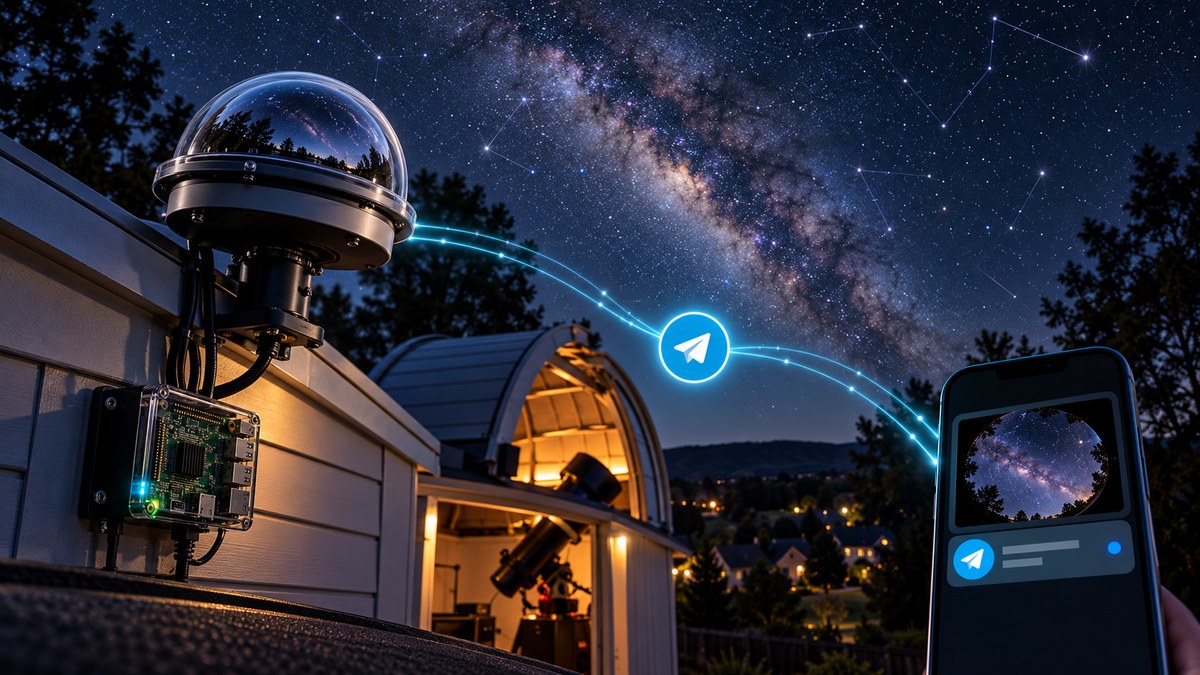
You have an all-sky camera running every night. It captures meteors, auroras, and satellite streaks while you sleep. But how do you know when something interesting happened without scrolling through hours of footage? That is where a Telegram bot comes in. By building a DIY alert system, you can get a notification on your phone within seconds of a capture. No more waking up to check hard drives. No more missing a fireball because you were at work.
A DIY all-sky cam Telegram alert system uses open-source software and a free Telegram bot to send you real-time notifications when your camera detects meteors, auroras, or other transient events. You can build the entire pipeline with a Raspberry Pi, a Python script, and about two hours of setup time. No monthly fees or cloud subscriptions required.
Why Telegram Works Best for Sky Alerts
Telegram is built for automation. It has a free API, supports bots without any paid plan, and works on every platform. Unlike email, which gets buried in spam folders, or SMS, which costs money per message, a Telegram bot gives you instant push notifications with images. You can even set up multiple channels for different types of events.
Your all-sky camera already captures images every 30 to 60 seconds. The challenge is filtering those images for interesting content. A meteor streak or aurora glow looks very different from a typical star field. By running a detection script on your observatory computer, you can forward only the interesting frames to your phone. The Telegram bot becomes the messenger that bridges your camera and your pocket.
What You Need to Get Started
Before writing any code, gather these components. Most of them are probably already in your observatory setup.
- A Raspberry Pi 4 or 5 running Raspberry Pi OS Lite. You can also use any Linux machine that stays on 24/7.
- Your all-sky camera software. Popular options include All-Sky Eye, MeteorPi, or a custom solution using a ZWO camera and indi-allsky.
- A free Telegram account. Download the app on your phone and create a bot using BotFather.
- Python 3.8 or newer. The bot library (python-telegram-bot) works well on all recent versions.
- Basic comfort with the command line. If you have ever SSHed into your Pi, you are ready.
Step-by-Step Setup Process
1. Create Your Telegram Bot
Open Telegram and search for BotFather. This is the official bot that creates other bots. Send the command /newbot and follow the prompts. You will choose a name and a username for your bot. Once created, BotFather gives you an API token. Save this token. It looks like a long string of numbers and letters. You will paste it into your script later.
2. Find Your Chat ID
Your bot needs to know where to send messages. The easiest way is to message your bot once, then fetch the chat ID using a simple URL. Open a browser and visit:
https://api.telegram.org/bot<YOUR_TOKEN>/getUpdates
Replace <YOUR_TOKEN> with your actual token. You will see a JSON response that includes your chat ID. It is usually a negative number if it is a group, or a positive number for a direct message. Keep this ID handy.
3. Install the Python Telegram Bot Library
On your Raspberry Pi, open a terminal and run:
pip install python-telegram-bot
This library handles all the communication between your script and Telegram. It is well maintained and works with Python 3.8 and above.
4. Write the Alert Script
Create a new file called sky_alert.py. Here is a minimal version that sends a test message:
import asyncio
from telegram import Bot

TOKEN = "YOUR_TELEGRAM_BOT_TOKEN"
CHAT_ID = YOUR_CHAT_ID

async def send_alert():
    bot = Bot(token=TOKEN)
    await bot.send_message(chat_id=CHAT_ID, text="All-sky camera is online and monitoring.")

asyncio.run(send_alert())
Run it once with python3 sky_alert.py. If your phone buzzes with the test message, the connection works.
5. Connect It to Your Camera Detection
This is where the real automation happens. Your all-sky camera software likely saves images to a folder. You need to watch that folder for new files and check each image for interesting content. A basic approach uses image subtraction. Compare the current frame to the previous frame. If the difference exceeds a threshold, something moved. Meteors and auroras create large differences.
Here is a simple detection loop:
import os
import time
from PIL import Image
import numpy as np

WATCH_FOLDER = "/home/pi/allsky/images"
THRESHOLD = 50  # Adjust based on your camera

def detect_event(image_path):
    img = Image.open(image_path).convert("L")
    arr = np.array(img)
    # Compare to a reference background
    diff = np.abs(arr - background)
    return np.mean(diff) > THRESHOLD

while True:
    latest = sorted(os.listdir(WATCH_FOLDER))[-1]
    if detect_event(latest):
        asyncio.run(send_alert(image_path=latest))
    time.sleep(10)
This is a simplified version. In practice, you will want to refine the detection algorithm. Auroras create gradual brightness changes, while meteors are sharp and short. You can adjust the threshold per season. Winter nights tend to be darker, so you might lower the threshold. Summer twilight may require a higher one.
6. Automate the Script to Start on Boot
You do not want to manually start the script every night. Use systemd to create a service. Create a file called /etc/systemd/system/skyalert.service with these contents:
[Unit]
Description=All-Sky Camera Telegram Alert System
After=network.target

[Service]
ExecStart=/usr/bin/python3 /home/pi/sky_alert.py
WorkingDirectory=/home/pi
Restart=always
User=pi

[Install]
WantedBy=multi-user.target
Then enable it:
sudo systemctl enable skyalert.service
sudo systemctl start skyalert.service
Your alert system now runs automatically after every reboot.
Common Problems and How to Fix Them
| Problem | Likely Cause | Fix |
|---|---|---|
| Bot sends no messages | Token or chat ID is wrong | Double-check both values. Run the test script again. |
| False alerts from clouds | Cloud edges look like movement | Increase the threshold or add a brightness filter. |
| Messages arrive 5 minutes late | The script checks too infrequently | Lower the sleep interval to 5 seconds. |
| Raspberry Pi runs out of memory | Image processing uses too much RAM | Resize images before comparing them. |
| Bot stops after a few hours | Network drop kills the connection | Add retry logic or use the restart=always systemd option. |
Expert tip: Start with a very high threshold and work your way down. You want to miss nothing, but you also do not want 200 alerts from a single cloudy night. Test during a known meteor shower like the Perseids or Geminids. That gives you a guaranteed source of events to calibrate your detection.
Going Further with Smart Detection
A simple threshold works, but you can improve accuracy with a few additions.
- Motion detection libraries: OpenCV has built-in background subtractors. Use
cv2.createBackgroundSubtractorMOG2()for better results. - Aurora detection: Auroras often appear as green or red patches. Check the color histogram for unusual spikes in specific channels.
- Satellite streaks: These are thin and straight. You can detect lines using the Hough transform in OpenCV.
- Multiple cameras: If you run two all-sky cameras, point both bots to the same group chat. You see both feeds in one place.
For a deeper look at automating your full observatory workflow, read our guide on how to automate your backyard observatory with open-source software. It covers scheduling, power management, and data processing.
What to Do When You Get an Alert
Receiving a notification is only half the battle. You also need to act on it. Here is a practical workflow.
- Open the image immediately. Telegram shows a preview, but tap it for the full resolution.
- Note the timestamp. Your camera filename probably includes the date and time.
- Check if the event is ongoing. If it is an aurora, you might want to switch to a live view.
- Log the event in a spreadsheet or notebook. Over time, you will see patterns. Certain nights produce more meteors. Certain moon phases reduce false alerts.
- Share with your local astronomy club. Many clubs have group Telegram chats for real-time sky reports.
For example, our observatory in Fairless Hills caught several unexpected meteor shower captures this year that we would have missed without the alert system.
Matching Your Setup to Your Goals
Different observers have different needs. The table below helps you choose the right approach.
| Goal | Detection Method | Alert Frequency | Best For |
|---|---|---|---|
| Meteor counting | Simple brightness threshold | 5 to 10 per night | Amateur meteor hunters |
| Aurora photography | Color channel analysis | 1 to 3 per event | Night sky photographers |
| Satellite tracking | Line detection | 20 to 50 per night | Satellite observers |
| General monitoring | Combined methods | 10 to 20 per night | All-purpose sky watchers |
Your Alert System Is Ready
Building a DIY all-sky cam Telegram alert system is one of the most satisfying upgrades you can make to your observatory. It turns a passive camera into an active lookout that keeps you informed no matter where you are. The total cost is zero beyond the hardware you already own. The time investment is a single evening.
Start with the basic script. Run it for one week during a meteor shower. Tweak the threshold until the alerts match what you would consider interesting. Then add the advanced detection features as you get comfortable. Before long, you will wonder how you ever monitored the sky without it.

Post Comment