How to Use Python Scripts to Automate Your Telescope’s Guiding and Dithering in 2026
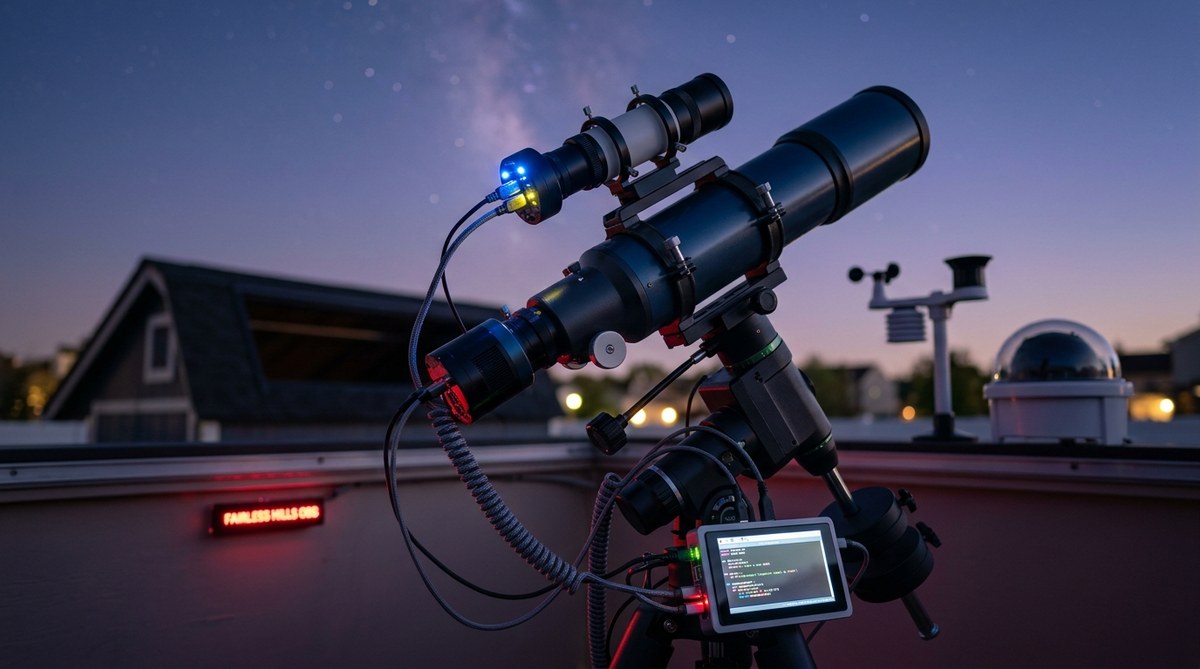
You’re sitting in your warm living room while your rig runs unattended all night. The mount tracks perfectly, the guide camera locks onto a star, and every few minutes a tiny dither shift prevents walking noise from ruining your stack. No manual intervention. No late-night check-ins. That’s the promise of a solid python telescope guiding script.
In 2026, automating your telescope’s guiding and dithering isn’t just for pros with six-figure setups. With a Raspberry Pi or a small computer running INDI and PHD2, you can tie everything together using Python scripts. Let’s walk through how to build one that actually works.
A well-written Python script connects PHD2’s guiding loop with your dithering schedule. You’ll use the PHD2 HTTP API to start/stop guiding, request dithers at set intervals, and monitor star lock. This cuts out manual clicks and lets you run multi-target sequences. Even a 30-line script can transform your imaging workflow from hands-on to fully automated.
Why Bother with a Python Script for Guiding?
Most astrophotography software already offers guiding control. NINA, for instance, has built-in PHD2 integration. But here’s the thing: NINA’s dithering works great until you want to customize the timing, the settle condition, or the dither scale based on your target’s position in the sky. A custom Python script gives you:
- Fine control over dither timing. Maybe you want to dither after every third sub instead of every frame.
- Conditional logic. If the seeing degrades past a threshold, pause guiding and wait.
- Multi-scope setups. Coordinate guiding on a separate guide scope while the main camera shoots.
- Remote observatory reliability. Your script can send you a text message if guiding fails.
If you already run an automated observatory, a Python guiding script is the glue that holds everything together. It’s also a fantastic learning project. You’ll understand exactly what PHD2 does under the hood.
How PHD2’s API Makes Scripting Possible
PHD2 has a built-in HTTP server that listens for JSON commands. You can enable it in the Brain settings: turn on Enable HTTP server and set a port (default 4400). Once it’s running, your Python script sends requests to http://localhost:4400/api/....
The most important endpoints:
/api/start_guiding– Starts guiding using the current calibration./api/stop_guiding– Stops guiding./api/dither– Triggers a dither move. You pass a pixel amount./api/settle– Waits until the star settles within tolerance./api/guide_state– Returns current guiding status (locked, calibrating, lost).
These give you full control without needing a GUI.
Building Your First Python Telescope Guiding Script
Let’s write a script that guides for a set exposure time, then dithers before the next sub. We’ll assume you’re using a main camera controlled by something like NINA or ASCOM, but the guiding logic is separate.
Step 1: Set Up the HTTP Client
import requests
import time

PHD2_HOST = "http://localhost:4400"
Step 2: Start Guiding
def start_guiding():
    resp = requests.put(f"{PHD2_HOST}/api/start_guiding")
    return resp.ok
Step 3: Dither and Settle
def dither(pixels=5):
    payload = {"amount": pixels}
    resp = requests.post(f"{PHD2_HOST}/api/dither", json=payload)
    if not resp.ok:
        # maybe retry or log
        return False
    # Wait for settle
    settle_timeout = 30  # seconds
    start = time.time()
    while time.time() - start < settle_timeout:
        state = requests.get(f"{PHD2_HOST}/api/guide_state").json()
        if state["state"] == "Locked":
            return True
        time.sleep(0.5)
    return False
Step 4: Loop Through Exposures
def run_session(total_exposures, dither_interval=3):
    for i in range(total_exposures):
        # Expose (this part is camera-specific - we'll use a placeholder)
        take_exposure()
        # Dither every dither_interval subs
        if (i + 1) % dither_interval == 0:
            if not dither(pixels=5):
                print(f"Dither failed on sub {i+1}")
                break
            print(f"Dithered after sub {i+1}")
        time.sleep(1)
Of course, take_exposure() is where you’d integrate with your camera library (like indi-client or pyastro). But the core guiding loop is clean and readable.
Common Mistakes with Python Telescope Guiding Scripts
Even experienced astrophotographers can trip over these pitfalls:
| Mistake | Why It Happens | The Fix |
|---|---|---|
| Dithering too aggressively | Large dithers cause long settle times | Start with 3-5 pixels and increase slowly |
| Not checking guide state before dither | Script tries to dither while PHD2 is calibrating | Check guide_state first, wait for “Locked” |
| No timeout on settle | Infinite loop if star doesn’t settle | Always set a timeout (30 seconds max) |
| Ignoring backlash | Small dithers can be eaten by RA backlash | Use a dither scale of 0.5-1.0 arcsec per pixel and dither in random directions |
| Hardcoding IP | Script breaks if you move to a different machine | Use environment variables or config files |
Expert advice from the PHD2 forums: Always run your script in a try/except block and log every API call. When guiding fails in the middle of a night, the log file saves your sanity. A simple
logging.basicConfig(level=logging.INFO)is worth more than any dithering formula.
Dithering Strategies That Actually Work
Not all dithering is equal. The amount and frequency depend on your:
- Pixel scale. For a typical guide scope with 2-3 arcsec/pixel, a dither of 5-10 pixels is plenty.
- Seeing conditions. Bad seeing means you need smaller dithers to avoid too much time settling.
- Target brightness. Faint nebulas can tolerate larger dithers; bright planets need tiny moves.
Here’s a practical table of dither settings:
| Setup | Dither Amount (pixels) | Dither Interval (every N subs) | Settle Timeout (seconds) |
|---|---|---|---|
| 80mm refractor, 1.5″/px | 8 | 4 | 20 |
| 10″ SCT, 0.5″/px | 3 | 6 | 30 |
| Wide-field with 200mm lens | 12 | 2 | 15 |
| Star tracker (lightweight) | 4 | 3 | 25 |
You’ll want to test these values on a clear night before going fully unattended.
Integrating with the Rest of Your Observatory
Your guiding script rarely lives alone. It usually runs alongside:
- Image acquisition software (NINA, ASCOM, INDI)
- Plate solving (ASTAP, ASTROMETRY.NET) to center targets
- Meridian flip handling
- Weather monitoring (cloud sensors, rain detectors)
A common pattern is to run the guiding loop as a separate Python thread or even a subprocess. That way, if the main camera software crashes, your guiding keeps going.
If you’re using INDI, you can also control the mount directly from Python via pyindi-client. That allows you to do things like pause guiding during a meridian flip, then resume.
We’ve covered some of these concepts in our guide on how to automate your backyard observatory with open-source software. The same principles apply.
When Guiding Goes Wrong: Debugging Your Script
No script is perfect on the first try. Here are the most common issues and how to fix them:
- “Connection refused” – PHD2 HTTP server isn’t running. Double-check the port and enable the server.
- Dither never returns – The star may have drifted out of the guide window. Set a max settle timeout and if it expires, stop guiding and re-calibrate.
- Script runs but guiding stops after a few minutes – Perhaps your dither request is causing the guide star to jump out of the window. Increase the dither scale or reduce the amount.
- Python crashes at 3 AM – Wrap your main loop in a
try/except Exceptionand log the traceback. Then use a while True with a restart.
Taking It Further: Advanced Scripting Ideas
Once your basic script works, you can build on it:
- Add a dither jitter that randomizes the direction and amount slightly so you don’t get a pattern.
- Log guiding RMS values from PHD2 and stop if they exceed a threshold.
- Integrate with a focus motor to refocus after every dither.
- Send alerts via email or push notification when guiding fails.
If you’re into data logging, you can also track your guiding performance over multiple nights and see if your polar alignment is drifting. That kind of analysis is perfect for a dedicated scripting project.
Building a Script That Survives a Full Night
Imagine this: you set everything up, the script starts guiding, and you go to bed. At 2 AM, a cloud rolls in. The guide star disappears. PHD2 loses lock. Without proper handling, your script might keep trying to dither and sky go dark until morning. A robust script should detect loss of lock, stop guiding, take a short exposure to check if the cloud passed, and resume if the star returns. That’s the difference between a script you trust and one you worry about.
Let’s add a simple recovery loop:
def safe_dither(pixels=5, max_retries=3):
    for attempt in range(max_retries):
        state = requests.get(f"{PHD2_HOST}/api/guide_state").json()
        if state["state"] != "Locked":
            # Try restarting guiding
            stop_guiding()
            time.sleep(5)
            start_guiding()
            time.sleep(10)
            continue
        if dither(pixels):
            return True
        time.sleep(2)
    # After max_retries, stop session
    print("Guiding recovery failed")
    return False
This pattern turns a fragile script into a reliable one.
The Best Tools for the Job in 2026
The Python ecosystem for astronomy has matured. Here are the libraries you’ll want:
- requests – For PHD2 API calls (built-in, no install needed)
- pyastro – For plate solving and camera control
- indi-client (or
pyindi-client) – For INDI protocol - astropy – For coordinate calculations
- schedule – For timing loops (simpler than trying to do it with sleep)
If you’re on Windows, you might use pywin32 to talk to ASCOM. Most of us running unattended observatories prefer Linux or macOS because of better tooling.
Final Thoughts on Automating Your Guide Star
Writing a python telescope guiding script is one of the most satisfying upgrades you can make to your rig. It transforms your setup from a collection of separate programs into a single automated process. You’ll get better data because dithering happens consistently, and you’ll sleep better knowing your script handles the edge cases.
Start small. Get guiding and a single dither working. Then add logging. Then add recovery. Within a few nights, you’ll have a script that runs all night without you touching a keyboard. And when you share your results on the forums, you’ll be the one others ask for advice.
If you want to see what kind of data you can collect with automated setups, check out our posts on 5 unexpected meteor shower captures our all-sky camera recorded this year and what can you actually see through a 10-inch telescope in Pennsylvania. Both relied on unattended guiding and dithering to get clean frames.
Now go open PHD2, enable that HTTP server, and write your first script. The stars are waiting.

Post Comment