Streamline Your Remote Astronomy Setup with AI-Powered Automation Tools
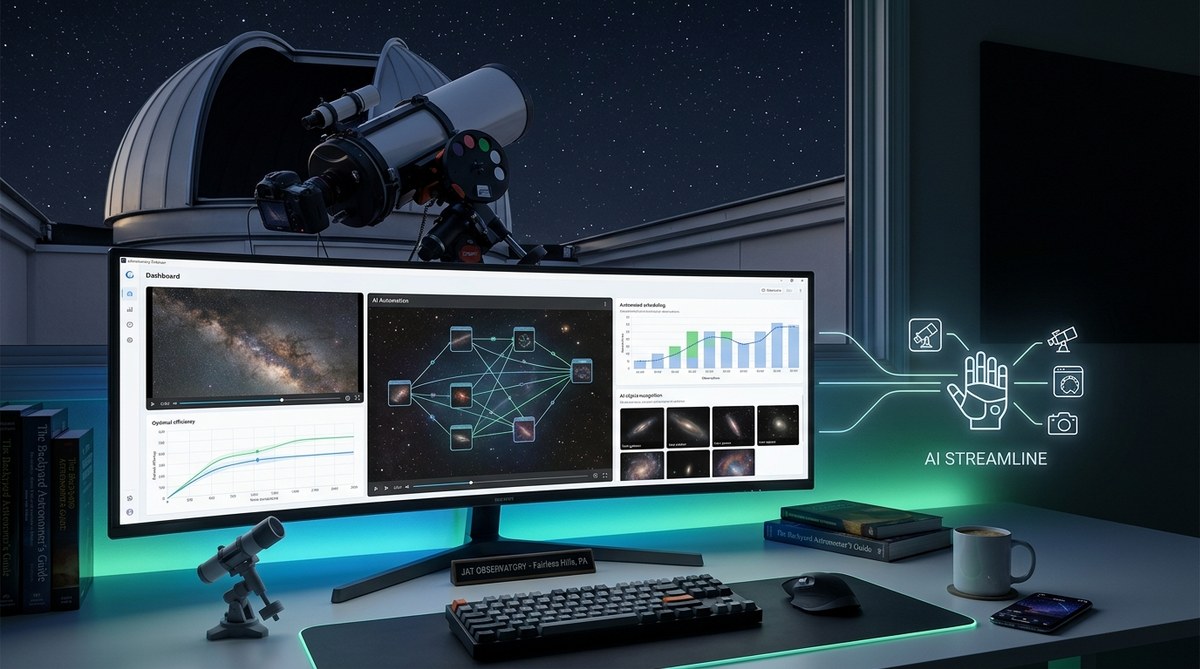
Getting your telescope to work smoothly from a remote location can feel overwhelming. Juggling hardware, software, weather conditions, and observation schedules can take up valuable time and energy. Fortunately, advancements in AI-powered remote astronomy automation offer a friendly hand. These tools make managing your remote setup more straightforward, freeing you to focus on the wonder of the night sky. Whether you’re capturing stunning astrophotos or just enjoying a quiet night of stargazing, automation helps you achieve more with less hassle.
AI-powered remote astronomy automation simplifies telescope management, allowing hobbyists to automate tasks like scheduling, focusing, and data collection. This technology saves time, reduces errors, and enhances your observing experience, making remote astronomy more accessible and enjoyable for all skill levels.
How AI-driven automation is transforming amateur astronomy
In the past, remotely operating a telescope often involved manual control, complex setups, and a steep learning curve. Now, AI-powered tools bring a new level of convenience. They intelligently handle routine tasks, optimize observing schedules, and even troubleshoot hardware issues without your constant oversight. For hobbyists, this means more consistent imaging, more productive nights, and the chance to observe celestial events that might have been missed before.
Practical steps to implement AI-powered remote automation in your setup
- Identify your needs and goals.
- Choose compatible hardware and software solutions.
- Set up and customize your automation system.
These steps help ensure your system works seamlessly, giving you more time to enjoy your observations.
1. Understand your remote astronomy goals
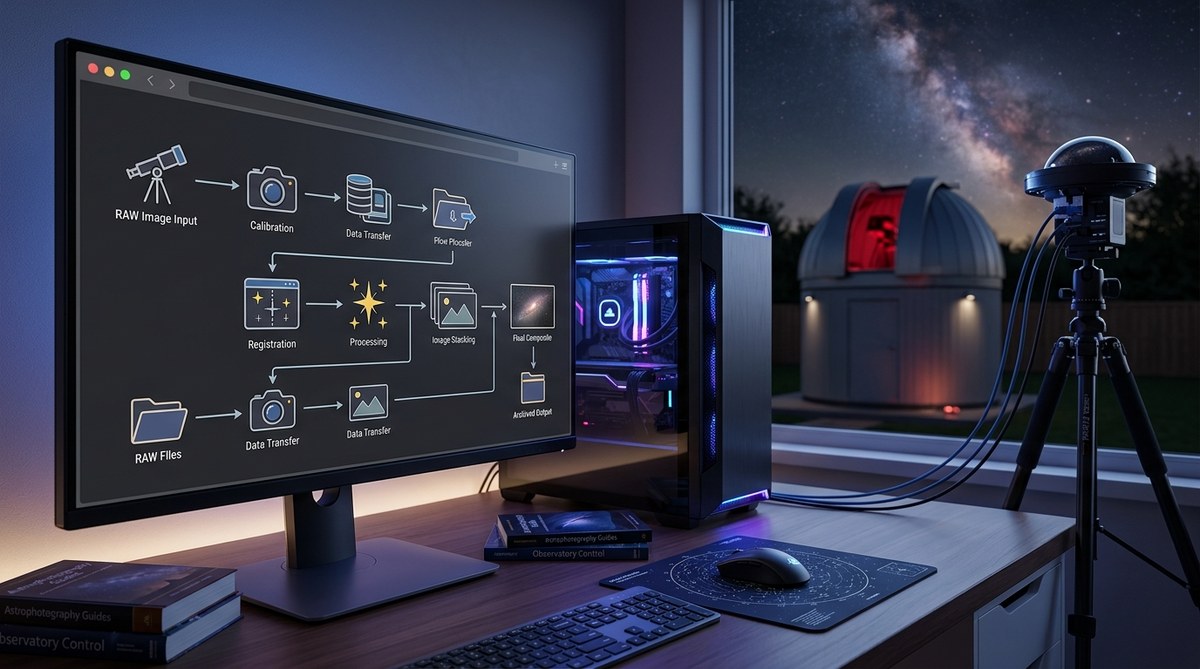
Start by clarifying what you want to achieve. Do you aim to capture high-quality astrophotos, monitor the night sky for transient events, or simply automate routine observations? Knowing your goals guides you toward the right tools and configurations. For example, if astrophotography is your focus, automation can help with precise focusing, exposure control, and image stacking. If you prefer wide-field sky monitoring, scheduling and data management become more critical.
2. Select suitable AI-powered automation tools
Today, many solutions cater to amateur astronomers interested in simplifying remote operations. Look for systems that integrate with your existing hardware, such as mount controllers, cameras, and weather stations. For instance, StellarMate offers an open-source, user-friendly platform that supports automation through AI modules. Additionally, services like SkyWatcher’s SkyPortal provide remote control capabilities with AI enhancements for smarter scheduling.
3. Set up your automation system step by step
Once you have your tools, follow these practical steps:
- Connect your hardware components, ensuring they are compatible and properly powered.
- Install the automation software, following the manufacturer’s instructions.
- Configure your observation schedules, considering celestial events, weather forecasts, and your personal preferences.
- Enable AI features such as auto-focusing, image analysis, and real-time adjustments.
- Test the system with small runs to ensure everything operates smoothly.
- Fine-tune your setup based on initial results and adapt as your skills grow.
This process allows you to create a reliable, automated workflow that minimizes manual intervention.
Techniques and common pitfalls in AI-powered automation
| Technique | What it accomplishes | Mistake to avoid |
|---|---|---|
| Automated scheduling | Optimizes observation times based on weather and celestial events | Overlooking weather updates leading to failed sessions |
| Auto-focusing | Ensures crisp images without manual adjustments | Relying solely on initial focus without periodic checks |
| Real-time image analysis | Detects transient objects or issues during capturing | Ignoring alerts from AI analysis that indicate problems |
| Hardware troubleshooting | Detects and fixes hardware faults automatically | Ignoring early warning signs, causing equipment damage |
“Automation is about making the system anticipate your needs. Proper setup and regular testing are key to avoiding costly errors.” — Expert astronomer
Practical processes for successful AI automation
- Plan your observation schedule based on celestial events and weather forecasts.
- Configure your hardware and software with compatibility in mind.
- Implement AI features such as auto-focusing, image stacking, and real-time alerts.
- Monitor and adjust your automation system regularly to improve performance.
These steps create a resilient setup that works behind the scenes, leaving you free to enjoy the night sky.
Common mistakes and how to avoid them
- Relying solely on automated systems without periodic checks can lead to missed issues.
- Ignoring weather updates may result in equipment damage or lost observing time.
- Using incompatible hardware or outdated software limits automation capabilities.
- Failing to test automation workflows before critical observations can cause unexpected failures.
Adopting a proactive approach ensures your automation system remains reliable and effective.
Enhancing your astronomy experience with AI
AI-powered remote automation is not just about convenience. It opens new avenues for discovering the universe. For instance, AI algorithms can analyze images in real-time to detect supernovae or variable stars. They can also optimize your observation plans to catch fleeting events like meteor showers or planetary conjunctions.
Practical tips for maximizing automation benefits
- Keep your software updated to access new features and improvements.
- Use weather stations and cloud sensors to prevent equipment damage.
- Record logs of automated sessions to identify patterns and refine your setup.
- Join online communities for shared experiences and troubleshooting advice.
Techniques and mistakes in remote automation
| Technique | Benefit | Common mistake |
|---|---|---|
| Integrating AI analysis | Enables rapid detection of transient phenomena | Ignoring AI alerts or false positives |
| Multi-device synchronization | Ensures all hardware operates harmoniously | Overlooking hardware compatibility issues |
| Scheduled maintenance routines | Keeps equipment in top condition | Neglecting regular system checks |
“Automation is only as good as its setup. Regular maintenance and updates keep your system running smoothly.” — Experienced hobbyist
Embracing the future of amateur astronomy
The combination of AI and remote control technology makes astronomy more accessible and enjoyable. You no longer need to be physically present to capture stunning images or monitor celestial events. Instead, your system intelligently manages tasks, allowing you to focus on interpretation and wonder. As AI continues to evolve, expect even smarter systems capable of autonomous decision-making and collaboration with fellow astronomers.
Final encouragement
Begin by identifying your priorities and gradually integrating AI automation into your setup. Start small, test thoroughly, and adapt as you learn. The night sky is waiting, and with the right tools, your journey into remote astronomy becomes more rewarding and less complicated.
Harness the power of AI to unlock new cosmic horizons
Embrace automation to turn your remote observatory into a smart, efficient, and inspiring space. With the right approach, you’ll enjoy more clear nights, better images, and a deeper connection with the universe. Happy stargazing.

Post Comment